🎨 模型着色
着色源可以在运行时为模型部件重新上色,让同一张灰度贴图呈现多种颜色。本页重点介绍如何设置模型以配合着色源。
着色原理
- 你的模型给某些面标记一个
tintindex编号(0、1、2……) - 在物品配置中,给每个索引绑定一个着色源
- 运行时,着色源向所有匹配该索引的面提供颜色
可着色面的贴图应使用灰度图:白色像素完整呈现目标颜色,黑色像素保持不变,灰色像素则按亮度混合颜色。
在 Blockbench 中设置 tintindex
选中你想设为可着色的元素,在 Elements 面板中为每个面设置 Tint Index。
-1或留空 → 面不被着色,贴图原样渲染0→ 由第一个着色源着色1→ 由第二个着色源着色
典型设置:剑刃各面设 0,宝石设 1,剑柄不设。
默认情况下 Tint Index 字段可能不可见。以下是添加方法:
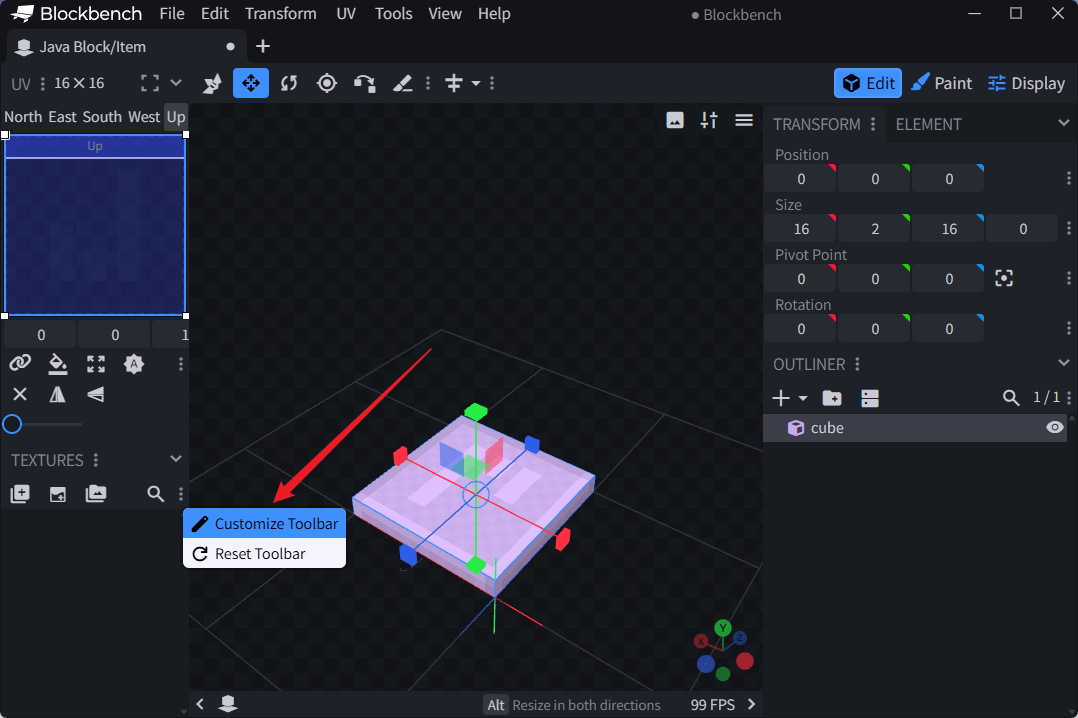
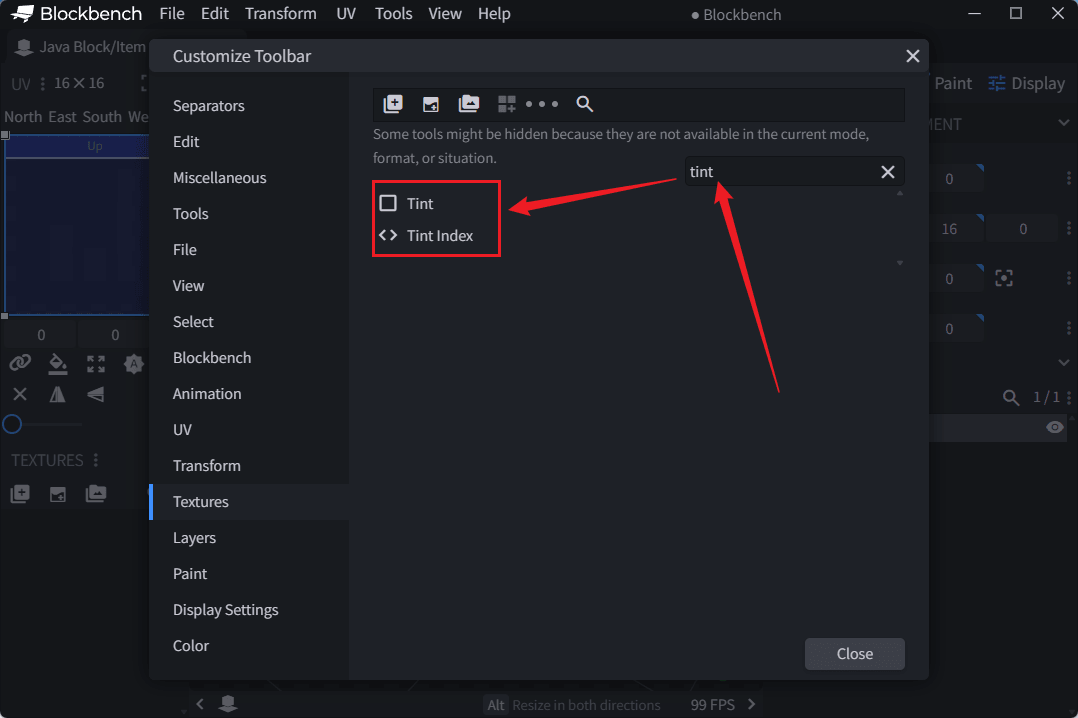
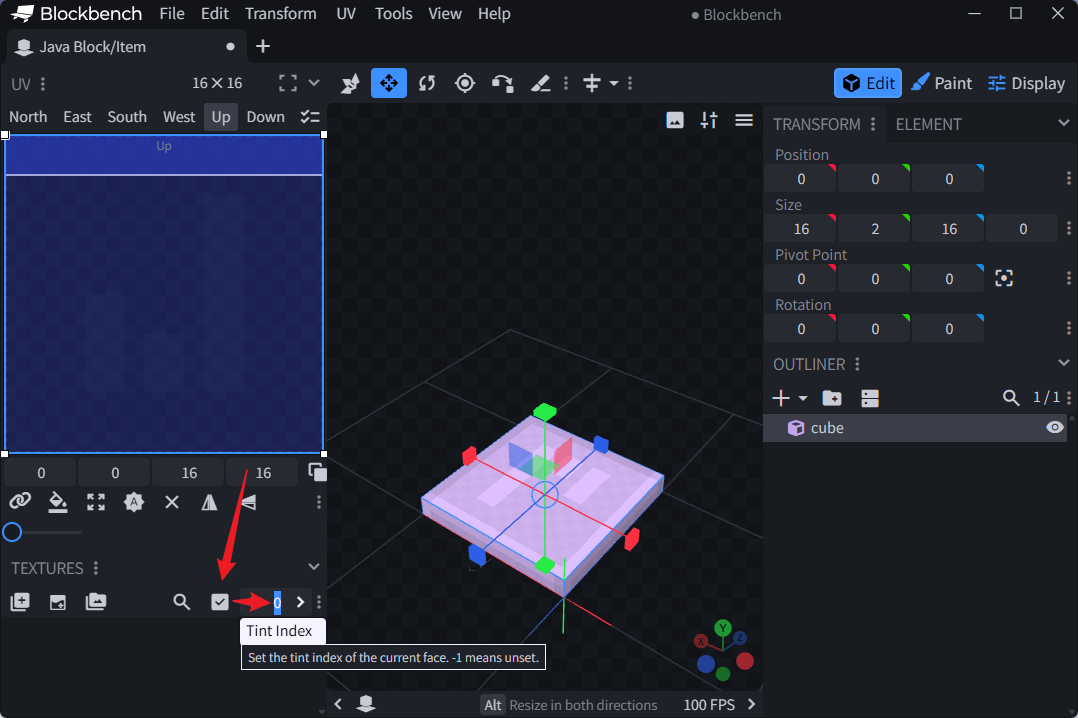
在 JSON 中的样子
Blockbench 保存模型后,设置的 tintindex 会写入模型 JSON。通常无需手动编辑,只需了解其结构:
"north": {"uv": [6, 3, 8, 12], "texture": "#layer0", "tintindex": 0}
设置过 tintindex 的面会在导出的 JSON 中包含该字段,未设置的面则不会出现。
配置着色源
tints: 列表是按位置对应的——第 0 位对应 tintindex: 0,第 1 位对应 tintindex: 1:
model:
  path: tutorial:item/magic_sword
  tints:
    - type: minecraft:constant
      value: 255,100,50     # → tintindex 0 → 剑刃 → 橙色
    - type: minecraft:dye
      default: 16777215      # → tintindex 1 → 宝石 → 玩家染色
tintindex 映射规则在 1.21.4 中发生了变化
Minecraft 1.21.4 之前,tintindex 的含义由原版硬编码,并取决于具体物品类型。每类物品都有固定映射,无法自行修改。
从 Minecraft 1.21.4 起,tintindex 只表示着色源在 tints: 列表中的位置。tintindex: 0 对应第一个着色源,tintindex: 1 对应第二个,不再具有硬编码含义。
如果你的资源包要兼容 1.21.4 之前的客户端,请遵循原版硬编码映射。如果只面向 1.21.4+,按任意顺序排列 tints: 即可。
示例:可染色剑
剑刃随 minecraft:dyed_color 组件改变颜色:
items:
  tutorial:dyeable_sword:
    material: golden_sword
    model:
      path: tutorial:item/sword_blade
      tints:
        - type: minecraft:dye
          default: 16777215